Connect Claude, ChatGPT or Muse AI to this record
Step-by-step setup for adding AskSEO as a custom MCP connector in Claude, ChatGPT and Muse AI, so each one answers grounded in this record instead of guessing.
- Status
- stable
- Trust
- human-reviewedHuman: Ahmed Raza ·
This record is served live over MCP. Connecting Claude, ChatGPT or Muse AI to it means each one answers SEO questions strictly from what this record actually covers (niche research, keyword research, on-page and technical SEO, off-page, local SEO, APK sites, WordPress), citing the source document, or saying plainly when something isn't covered yet, instead of guessing from general training data.
Connecting needs a free AskSEO account. The first time you connect, your assistant opens AskSEO's sign-in page: sign in with Google, GitHub, or your email and password (a new email account is confirmed with a 6-digit code), then click Allow. That is all; no API key is needed. Every setup below uses the same two values:
- Name: AskSEO
- MCP Server URL:
https://askseo.cybrumsolutions.dev/mcp
Connect Claude
- Open Settings, then Connectors (it sits under the Customize group in the sidebar).
- Click Add custom connector, then paste the Name (
AskSEO) and the MCP Server URL above. Click Continue. - Claude detects that this server asks for sign-in. Do not choose No sign-in. Leave Request headers empty, and leave the OAuth Client ID and Client Secret under Advanced empty: Claude registers itself. Click Add, then Connect.
- AskSEO's sign-in page opens in your browser. Sign in with Google, GitHub or your email (or create an account), then click Allow on the "Connect Claude to AskSEO" screen. You are sent back to Claude, and AskSEO emails you to confirm the connection.
- AskSEO now appears in your connectors list with its three read-only tools: Outline the record, Read a document and Search the record. Set them to Always allow (or leave Needs approval if you'd rather confirm each use).
- Ask it something and watch it answer from the record: "Use AskSEO and explain what a nano niche is."
Connect ChatGPT
ChatGPT calls this Plugins, and it sits behind Developer mode, off by default, since it lets ChatGPT add connectors OpenAI hasn't reviewed.
-
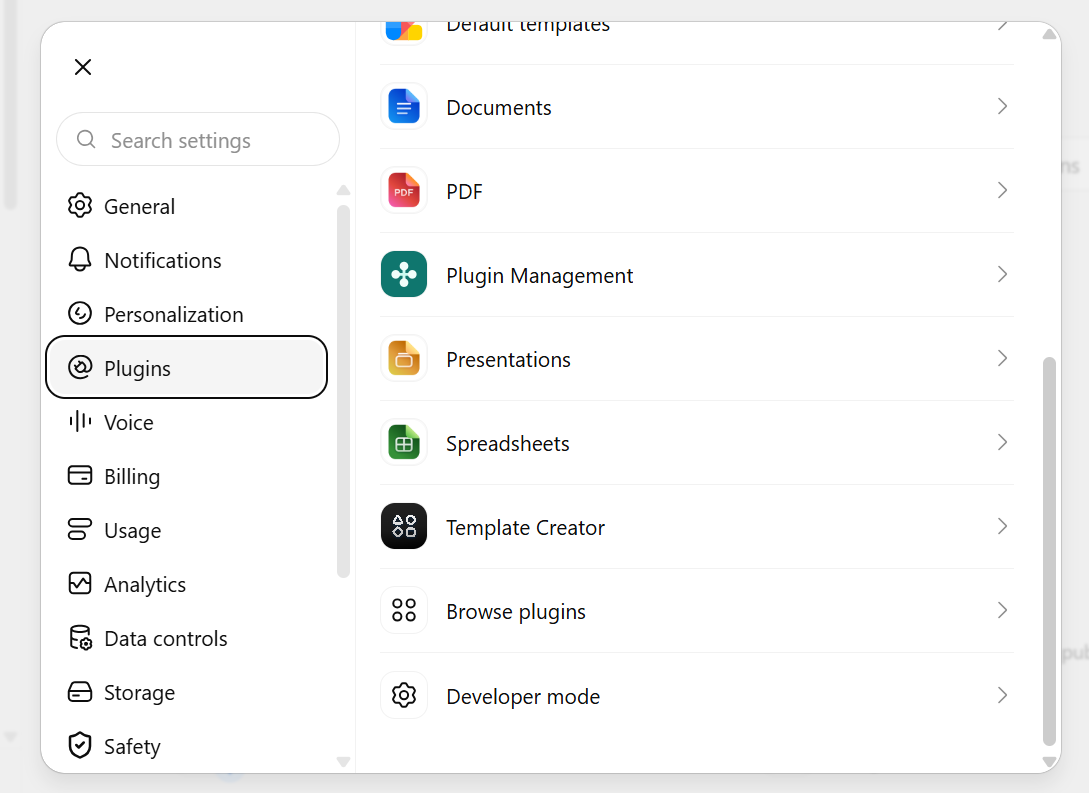
Open Settings and find Developer mode in the list.
-
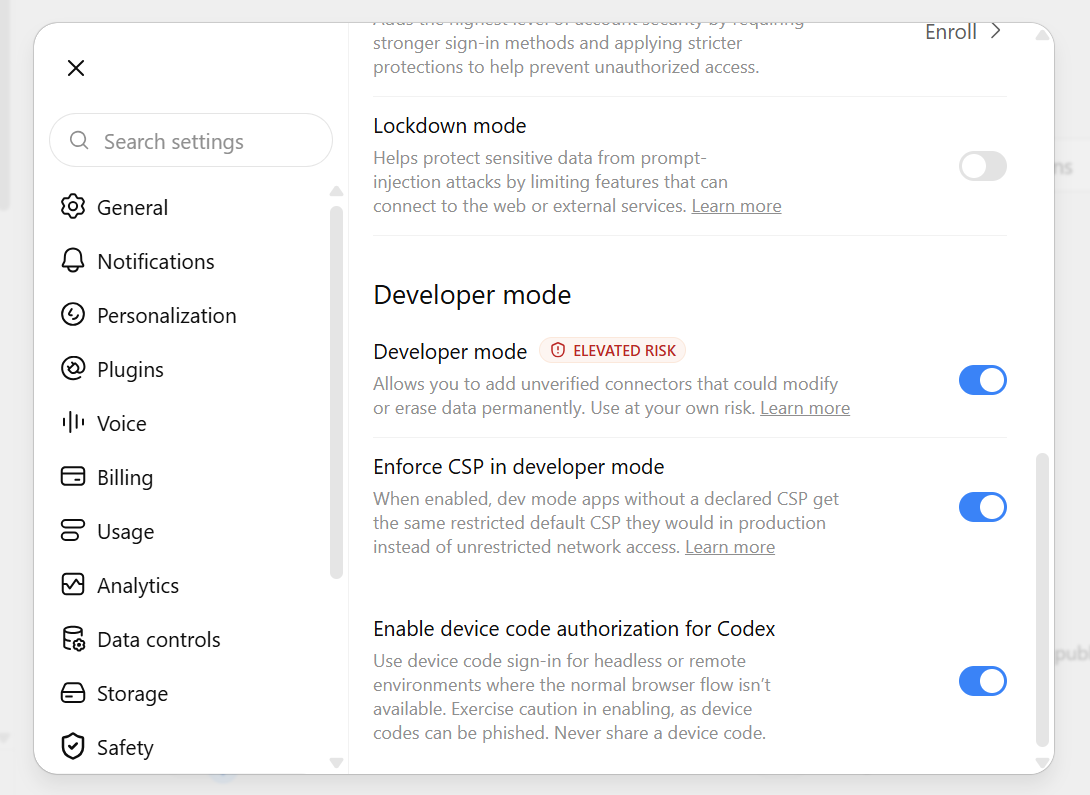
Turn the Developer mode toggle on. ChatGPT marks it elevated risk: that's a general warning about unverified connectors, not specific to this one.
-
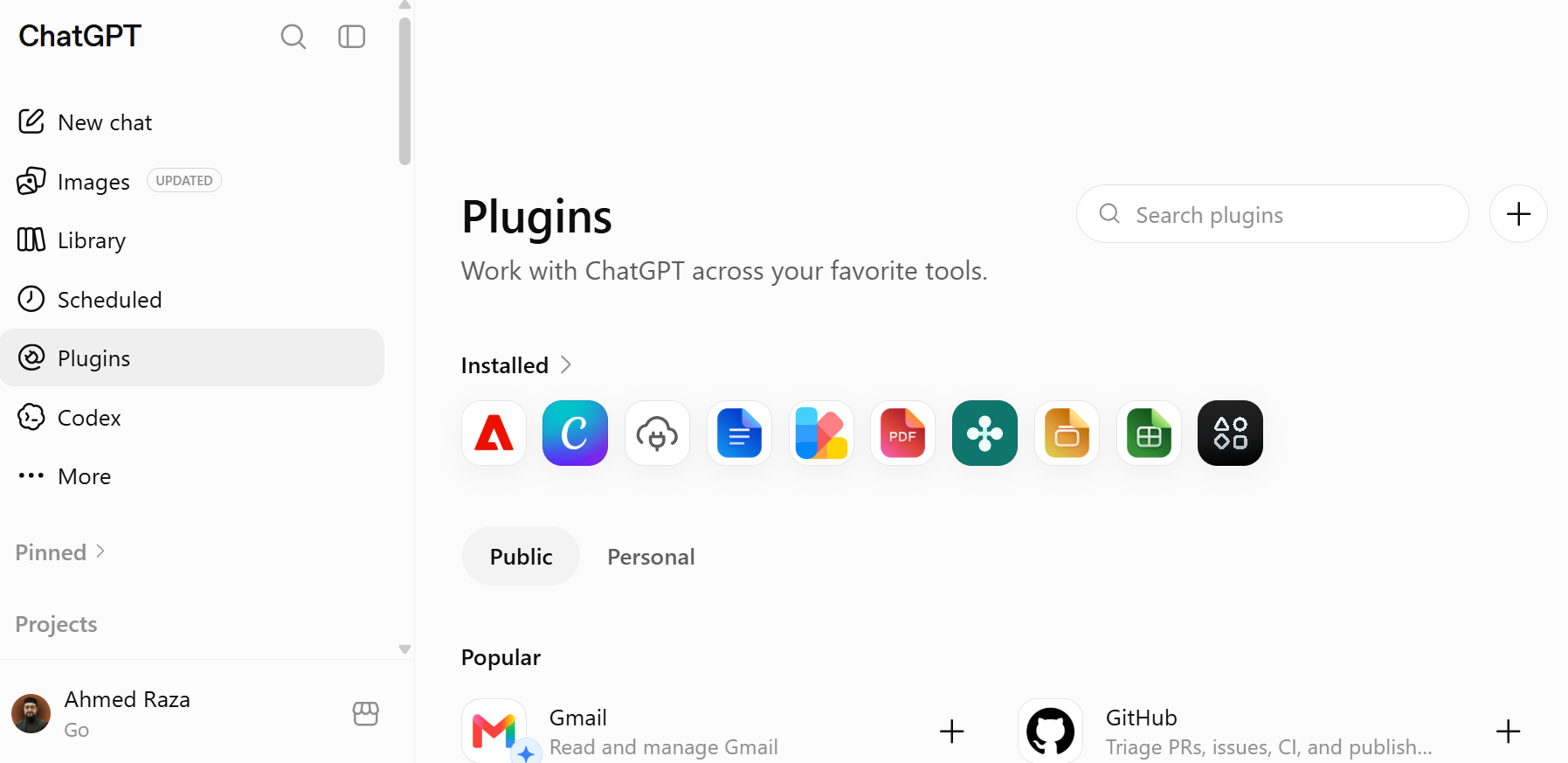
Plugins now appears in the main sidebar. Open it, then click the + in the top-right corner to add a new one.
-
In the New Plugin dialog: Name
AskSEO, Connection set to Server URL (not Tunnel), paste the MCP Server URL, and set Authentication to OAuth. Check "I understand and want to continue" (the same generic custom-MCP-server warning Claude shows), then click Create. -
ChatGPT opens AskSEO's sign-in page. Sign in (or create an account), then click Allow. You are sent back to ChatGPT.
-
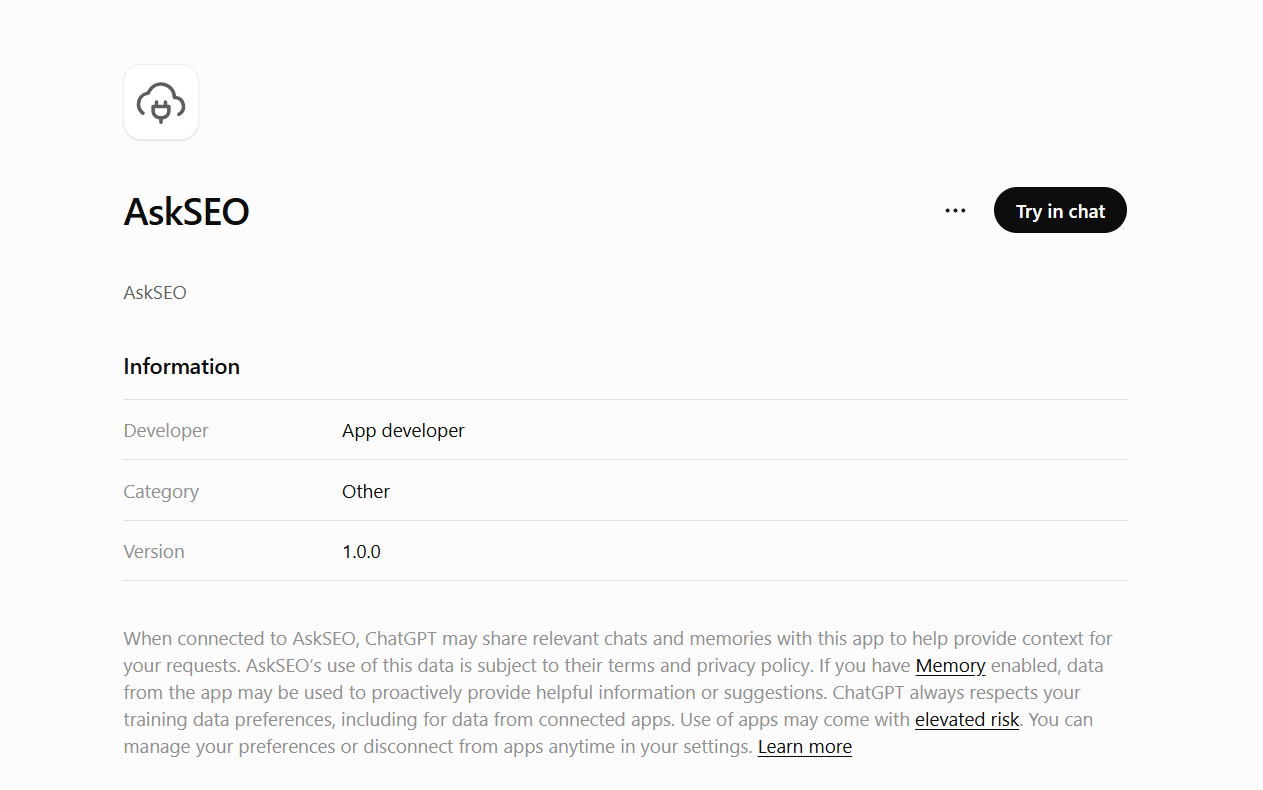
Click Try in chat on AskSEO's plugin page, or enable it from the Plugins list inside any chat, then ask it a question the same way.
Note
Developer mode and custom plugins are currently on ChatGPT's paid plans (Plus and above). Free and the lower-cost Go plan may not show this option at all. This changes over time as OpenAI rolls it out further, so check your own Settings rather than assuming.
Connect Muse AI
Muse AI connects to the record by itself: give it the MCP Server URL and ask it to add a custom MCP connector. Open a chat in Muse AI and send this prompt as it is:
Connect a custom MCP server for me.

Name: AskSEO
MCP Server URL: https://askseo.cybrumsolutions.dev/mcp

It uses OAuth sign-in. Register yourself as an OAuth client with this
redirect URI: https://askseo.cybrumsolutions.dev/oauth/callback
Then give me the sign-in link. After I sign in and allow the connection, I
will paste the link I land on back into this chat: take the code from it and
finish connecting.

Once it is connected, list its tools. From then on, answer my SEO questions
with AskSEO's search tool, name the document each answer comes from, and tell
me plainly when the record does not cover a question instead of guessing.- Open the sign-in link Muse AI gives you, sign in, and click Allow.
- You land on an AskSEO page that says "Almost connected". Click Copy link and paste that link into the same Muse AI chat.
- When Muse AI confirms the connector and lists its three tools (outline, read and search), ask it something the same way: "Use AskSEO and explain what a nano niche is."
The link works only for a few minutes, so paste it soon after you click Allow. If it has expired, ask Muse AI for a new sign-in link.
Connected before sign-in was required?
AskSEO used to work without an account, so a connector added before then was saved as needing no sign-in. That saved setting does not change by itself: reconnecting fails, and Claude shows an error like "AskSEO is set up as not requiring sign-in, but the server asked for sign-in when checked (status 401)."
The fix is to add the connector again:
- In Settings, then Connectors, open AskSEO and remove it.
- Add it again with the same URL, following Connect Claude above, and this time leave sign-in on.
- Sign in and click Allow.
ChatGPT and Muse AI work the same way: remove the old AskSEO connector, then add it again with sign-in (OAuth in ChatGPT).
What "grounded" means here
Every connector points at the same read-only record. An agent connected this way never receives write access, and it answers only from documents this record actually admits to its machine surface: a draft or a withdrawn document is never handed over as an answer.
More in this chapter4
- LessonLearn SEO: the complete SEO training pathThe whole AskSEO curriculum as one ordered training path, from SEO basics and niche research through keyword research, content writing, WordPress, on-page, technical, off-page and Local SEO.Read lesson
- LessonAll class infographicsEvery class infographic in the record on one page, grouped by module and chapter, each linked to the chapter it summarises.Read lesson
- LessonSEO glossary and web basicsCore SEO and web-infrastructure terms used throughout this record, niche, keyword, SERP, KD, search intent, and how a search engine and the web itself work.Read lesson
- LessonWhy SEO matters, and what ranks a pageWhy SEO is treated as a standalone skill in this course, and the balance of factors (authority, content, backlinks, niche difficulty) that decide a ranking.Read lesson
SEO glossary and web basics
Core SEO and web-infrastructure terms used throughout this record, niche, keyword, SERP, KD, search intent, and how a search engine and the web itself work.
Why SEO matters, and what ranks a page
Why SEO is treated as a standalone skill in this course, and the balance of factors (authority, content, backlinks, niche difficulty) that decide a ranking.