AI agentsLesson 6 of 6
AI Agents, Class 11: the right way to build a custom site
Sir Faheem Akhtar's Class 11: building custom sites to rank, why static HTML and CSS sites instead of dynamic ones, the build prompt to start with, and building the whole site before adding articles one by one.
- Status
- stable
- Trust
- unverified
This whole document is from Class 11 of the AI Agents module, Right Way to Build Custom Site, taught by Sir Faheem Akhtar.
Build it to rank
Every custom site in this class is built with one thing in mind: it has to rank.1
Static, not dynamic
The sites we build are static sites: everything is built inside HTML and CSS. We do not build dynamic sites.1
The reason the class gives, static sites are:1
- SEO friendly, and
- easy to crawl.
The notes do not describe dynamic sites beyond saying not to build them.
The prompt to start with
Whenever you start building a site, begin the prompt with:
Build Custom HTML Static Website ...A full example from the class, for a words counter tool:1
Build Custom HTML Static Website, build words counter. Make sure design is
modern, speed is fast, it is mobile friendly. Analyze top sites and build
better version of them
What the example asks for, point by point:
- Custom HTML static website: the opening that sets the build type.
- The tool: here, a words counter.
- Modern design.
- Fast speed.
- Mobile friendly.
- Analyze the top sites and build a better version of them.
Swap the words counter for your own tool and keep the rest. The same competitor rule appears in Class 10: analyse the competitors and leave none of their gaps in your site.
Whole site first, then articles
First get the whole website built. Then add articles to it one by one.1
Class infographic
Class infographicTap the image to zoom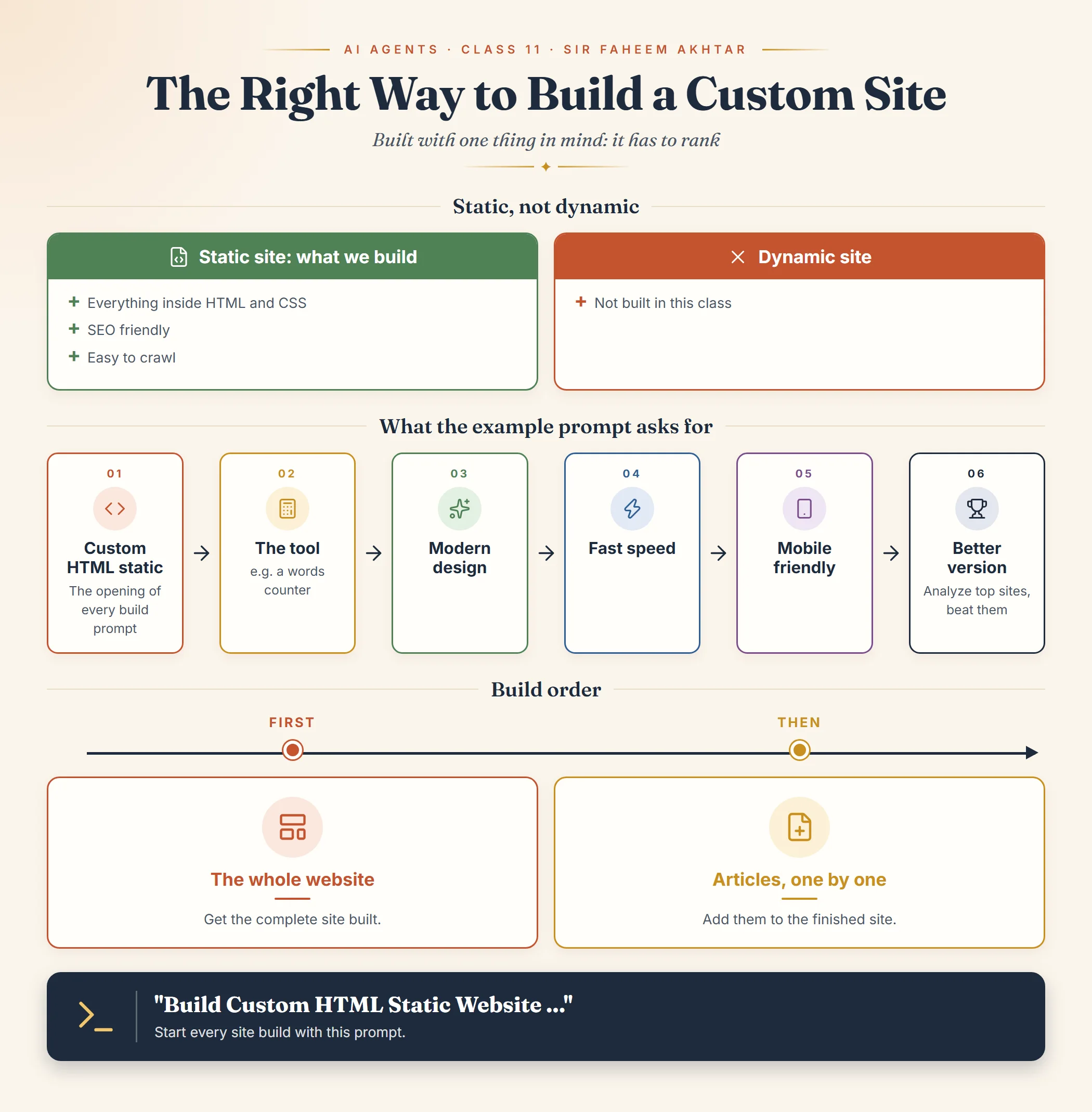 AI Agents, Class 11: the right way to build a custom siteOpen full size
Footnotes
More in this chapter5
- LessonAI Agents, Class 1: what the module is and what to set upThe introductory class of the AI Agents module, covering who the module is for, why AI now matters alongside SEO, and the tools and accounts to set up before the next class.Read lesson
- LessonLLMs, tokens, Git and GitHubThe first concepts of the AI Agents module, what an LLM is, what a context window and a token are, and what Git and GitHub do, as taught in Class 1.Read lesson
- LessonAI Agents, Class 5: the vocabulary of AI fundamentals and product planningSir Tanveer Nandla's Class 5: the learning map, and the core terms (generative AI, LLM, automation, AI agents, vibe coding, IDE, coding modes, agent instructions, user journey, website vs web application, DBMS, primary key, API).Read lesson
- LessonAI Agents, Class 6: vibe coding in practiceSir Faheem's Class 6 on vibe coding: running and testing a project on localhost with AI, writing a strong PRD first, how to start a project in Cursor, Next.js and React Native, SVG icons, and selling automation to businesses.Read lesson
- LessonAI Agents, Class 10: small web tools for your niche, built with AISir Tanveer Nandla's Class 10: building small niche tools such as calculators and word unscramblers with AI, discussing the stack and hosting with the AI first, and the requirements to give it for an SEO-ready, premium, mobile-friendly tool.Read lesson