AI agentsLesson 5 of 6
AI Agents, Class 10: small web tools for your niche, built with AI
Sir Tanveer Nandla's Class 10: building small niche tools such as calculators and word unscramblers with AI, discussing the stack and hosting with the AI first, and the requirements to give it for an SEO-ready, premium, mobile-friendly tool.
- Status
- stable
- Trust
- unverified
This whole document is from Class 10 of the AI Agents module, Small Web Based Project with use cases, taught by Sir Tanveer Nandla.
What the class builds
In this class, small tools are built with AI, each related to your own niche: for example a calculator or a word unscrambler.1
Whatever niche you are working on, programmatic SEO will be part of it.1 A tool page is a natural fit for that: one tool template can serve many keyword variations. For how programmatic SEO templates work, see Content coverage, Class 1.
Discuss with the AI before you build
Before building any site, or working on anything, first discuss it with the AI.1 The order the class gives:
- Discuss the idea of what you are building with the AI.
- Decide the stack: discuss with the AI what the stack of the thing you are building will be.
- Tell it your hosting. We will normally work on shared hosting, so tell the AI which hosting you are working on. It will then build the tool to suit that hosting.
- Then build.
What to tell the AI while it builds
While the tool is being built, tell the AI all of these as requirements:1
| Requirement | What it means for the tool |
|---|---|
| Main thing above the fold | The tool itself shows on the first screen, before any scrolling |
| SEO, GEO and AEO optimized | Optimized for search engines and for AI and answer engines |
| Top-notch UI and UX | The interface and the experience are first class |
| Competitor analysis | Analyse competitors; any gap you find in them must not be in your site |
| Mobile optimized | The tool works properly on a phone |
| Premium, non-AI design | Do not use a typical AI design or typical AI colours |
The above the fold rule is the same one taught for content: fulfil the page's main intent on the first screen. A tool keyword such as "image resizer online" is fulfilled by a working tool the visitor can use right away; see Starting content writing, Class 5.
Putting it into one prompt
The class gives these as points rather than as one written prompt. Put together, a build prompt carrying every point looks like this (replace the tool, niche and hosting with your own):
Build a [tool name] for my [niche] website. I host on shared hosting
([hosting name]). Put the main tool above the fold. Make it SEO, GEO and
AEO optimized, with top-notch UI and UX, and fully mobile optimized.
Analyse the top competitor tools first; if they have any gap, make sure
my tool does not have it. The design must be premium and non-AI: do not
use a typical AI design or typical AI colours.
Open question
The notes end with an unfinished point: "the UI in which you want to build your tool". What the class said about choosing that UI is not in the notes.
Class infographic
Class infographicTap the image to zoom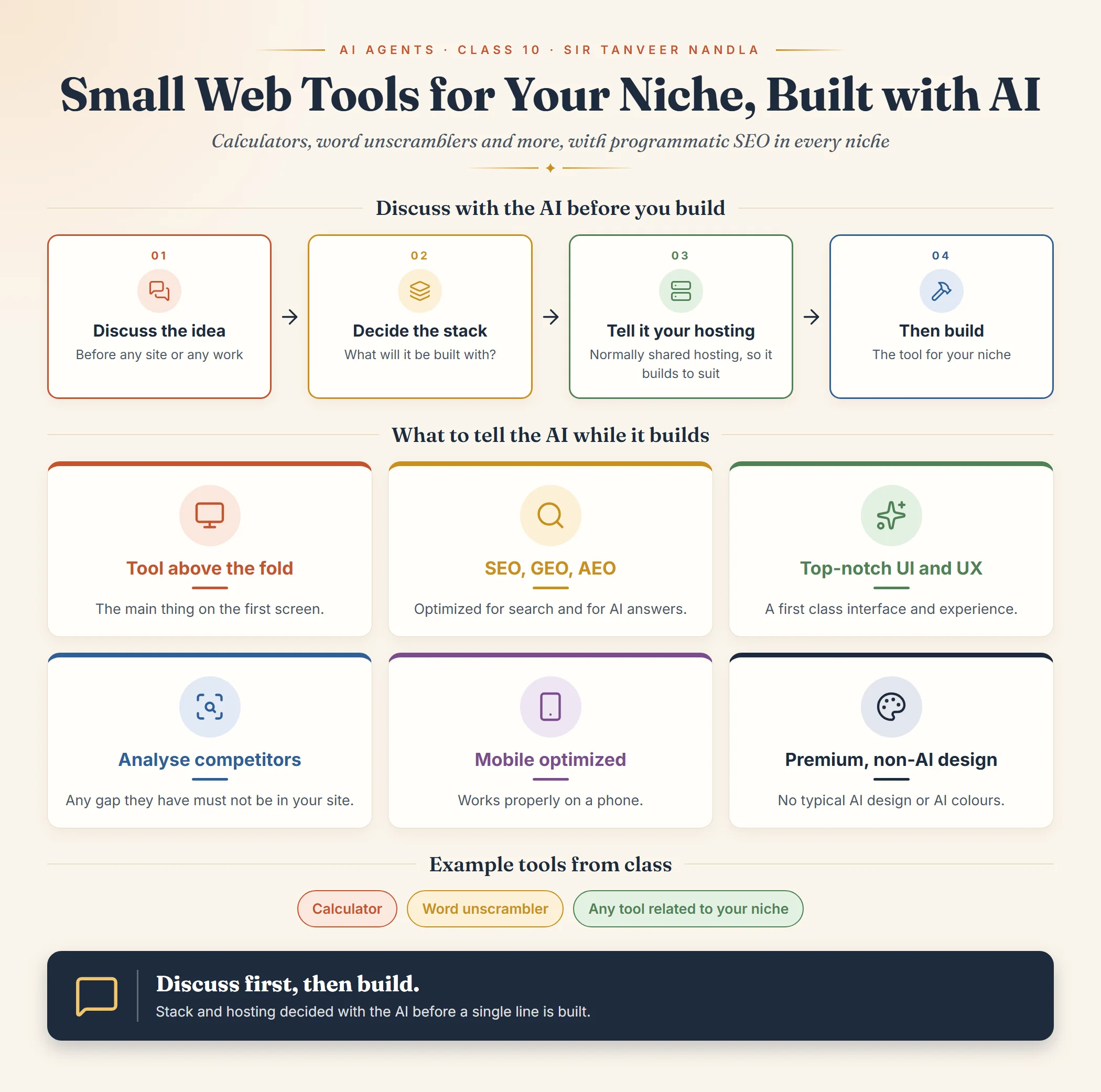 AI Agents, Class 10: small web tools for your niche, built with AIOpen full size
Footnotes
More in this chapter5
- LessonAI Agents, Class 1: what the module is and what to set upThe introductory class of the AI Agents module, covering who the module is for, why AI now matters alongside SEO, and the tools and accounts to set up before the next class.Read lesson
- LessonLLMs, tokens, Git and GitHubThe first concepts of the AI Agents module, what an LLM is, what a context window and a token are, and what Git and GitHub do, as taught in Class 1.Read lesson
- LessonAI Agents, Class 5: the vocabulary of AI fundamentals and product planningSir Tanveer Nandla's Class 5: the learning map, and the core terms (generative AI, LLM, automation, AI agents, vibe coding, IDE, coding modes, agent instructions, user journey, website vs web application, DBMS, primary key, API).Read lesson
- LessonAI Agents, Class 6: vibe coding in practiceSir Faheem's Class 6 on vibe coding: running and testing a project on localhost with AI, writing a strong PRD first, how to start a project in Cursor, Next.js and React Native, SVG icons, and selling automation to businesses.Read lesson
- LessonAI Agents, Class 11: the right way to build a custom siteSir Faheem Akhtar's Class 11: building custom sites to rank, why static HTML and CSS sites instead of dynamic ones, the build prompt to start with, and building the whole site before adding articles one by one.Read lesson
AI Agents, Class 6: vibe coding in practice
Sir Faheem's Class 6 on vibe coding: running and testing a project on localhost with AI, writing a strong PRD first, how to start a project in Cursor, Next.js and React Native, SVG icons, and selling automation to businesses.
AI Agents, Class 11: the right way to build a custom site
Sir Faheem Akhtar's Class 11: building custom sites to rank, why static HTML and CSS sites instead of dynamic ones, the build prompt to start with, and building the whole site before adding articles one by one.