Products to sellLesson 4 of 4
Print on demand on Etsy with Printify: zero investment, nothing to ship
Sir Zafar's Class 18 on print on demand, linking Printify to Etsy, how an order and its money move, choosing a product and provider, and pricing with a 25 to 30% profit.
- Status
- stable
- Trust
- unverified
This document records Class 18 of the Etsy module, Print on Demand, taught by Sir Zafar Ali.1
What print on demand is
Print on demand is the zero investment way to sell a physical product. You create the artwork and design; a third party prints it and ships it.1
The class calls it the best product because you do not have to ship it yourself. If your product is custom and you properly meet the requirements, your orders do not get cancelled.1 The notes do not list which requirements these are.
Class 17 already said one shop can carry digital, physical and print on demand products together; this class shows how print on demand works.
How to start with Printify
- The best print on demand website, according to the class, is Printify.
- You need a Printify account, and you link it with your Etsy shop.
- Through Printify you can manage your Etsy account's listings: create them, edit them and so on.
- Printify prepares and delivers an order in 2 to 5 days.1
The infographic marks 2 to 5 days as the teacher's estimate and suggests checking the real time of the print provider you pick.2
How an order and the money move
- The buyer places an order on Etsy.
- The order goes to Printify.
- Printify makes it ready and ships it.
- Printify takes its money, and the rest of the amount comes to you.1
You use Printify to create the product, and your card is linked to it. The payment for making the product is cut from your card. What the buyer pays goes into your Etsy account, and from Etsy it comes to you in Payoneer.1 For setting up Payoneer, see Creating a Payoneer account.
Note
The notes say both that Printify "takes its money" from the order and that the production cost is charged to your linked card. Read together, the cost is charged to your card while the buyer's payment reaches you through Etsy and Payoneer; the notes do not explain the exact timing of each charge.
Choosing the product
On Printify, take the product from a provider who is a best seller with the lowest price, and check everything: feedback and shipping. Then look at it carefully before you decide.1
Designs and listing
- Have new designs made in Canva for Printify, and get your products ready.
- The working is very simple: the listing happens automatically.
- Write your profit margin as a percentage, and Printify sets the price itself.1
Pricing: add 25 to 30% profit
Before you list, note exactly what the order costs on Printify: the product, tax, fees and shipment. On top of all of that, keep 25 to 30% as your own profit.1
| Product cost on Printify | + Tax, fees and shipping | + Your 25 to 30% profit | = Your selling price |
|---|
The notes do not say whether Etsy's own fees should be counted in this cost.
Reality check
The infographic adds cautions that are not in the class notes:
- Zero investment means no stock, but Printify still charges your card for every order, so order a sample before you sell.
- Etsy has its own fees; check your real margin after Etsy's fees, not only Printify's cost.
- Follow Etsy's rules: disclose that a production partner makes the item, and never use copyrighted or trademarked designs.2
Class infographic
Class infographicTap the image to zoom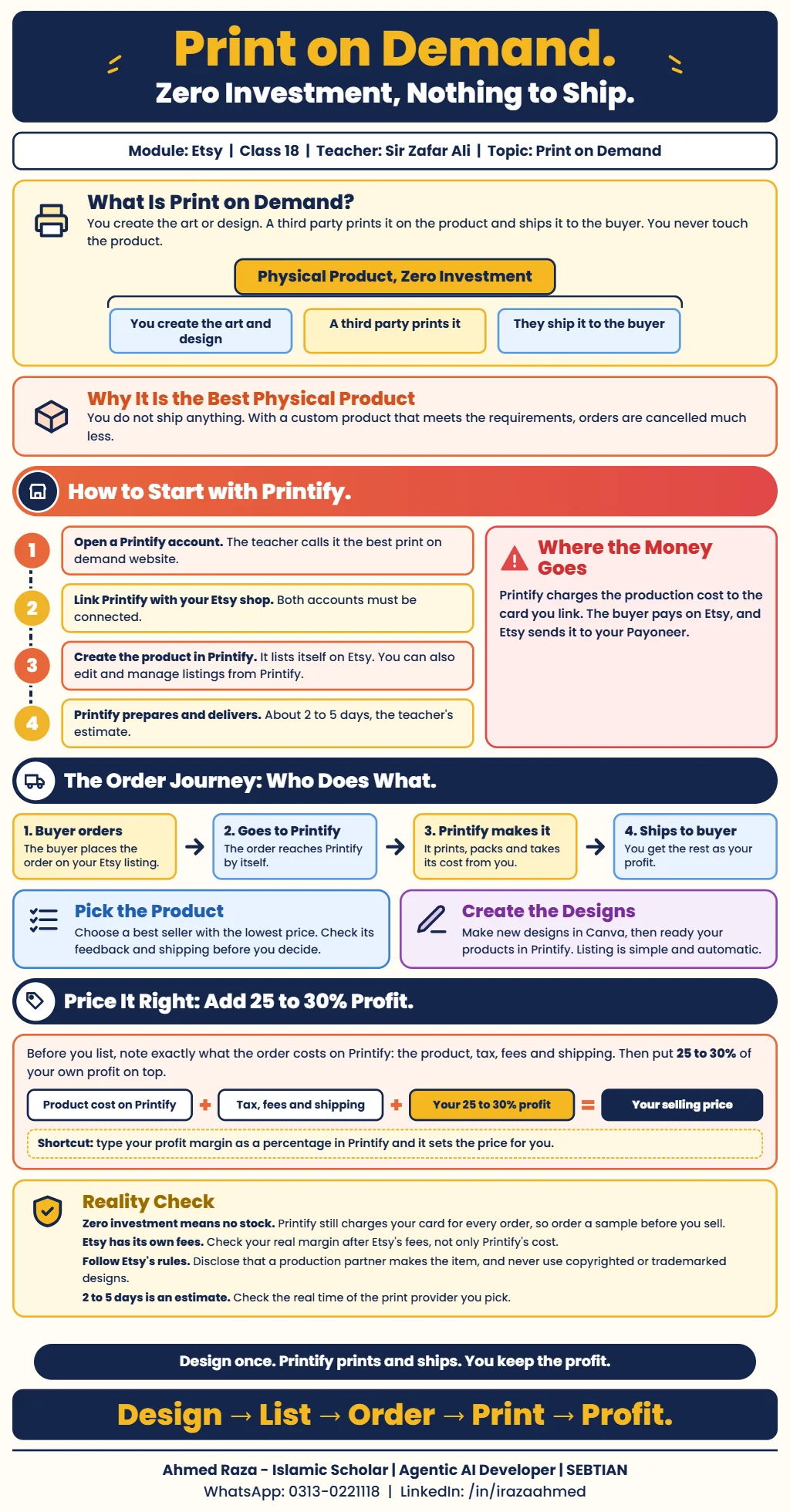 Print on demand on Etsy with PrintifyOpen full size
Footnotes
More in this chapter3
- LessonEtsy digital product creation: AI-built planners, Canva templates and listing videosSir Zafar's Class 16 on building planners with Gemini and Claude, creating social media templates with AI, generating an Etsy listing video and publishing 10 listings.Read lesson
- LessonEtsy shop and products: one shop, five listing images and coloring booksSir Zafar's Class 17 on running one Etsy shop for many product types, the listing video and five listing image prompts, and making a coloring book with ChatGPT.Read lesson
- LessonCanva course: design invitation templates and planners for EtsySir Zakria Afzal's Canva class, from custom-size designs and editing tools to AI-assisted invitations, planners, mockups and delivery of editable templates.Read lesson